Quick answer: Divi eCommerce websites are online stores built with Divi and WooCommerce integration. These sites feature flexible layouts, engaging shop pages, and attractive product displays. Many also utilize unique styles and new WooCommerce add-ons to create a great browsing experience.
These sites have great layouts, engaging shop pages, and attractive product displays. Many use unique styles for shop and product pages, and some even use new WooCommerce add-ons. I will point out what I like most about each one. Please note that the websites are listed in no specific order.
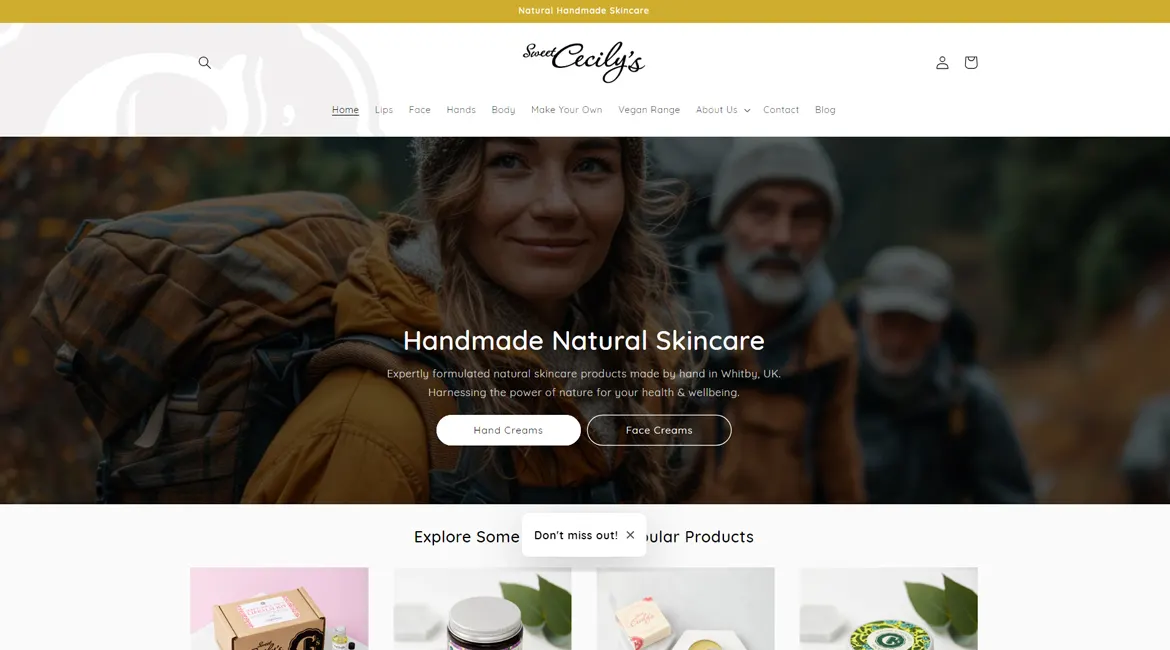
Sweet Cecilys shows store categories with images in a multi-column layout like a magazine. The background uses a part of the company logo. Category pages keep the same background pattern as the homepage and show products in four neat columns. Sidebar widgets help the product display. Product pages also have social sharing buttons and related products next to the sidebar. The site has great product photos that improve its overall look.
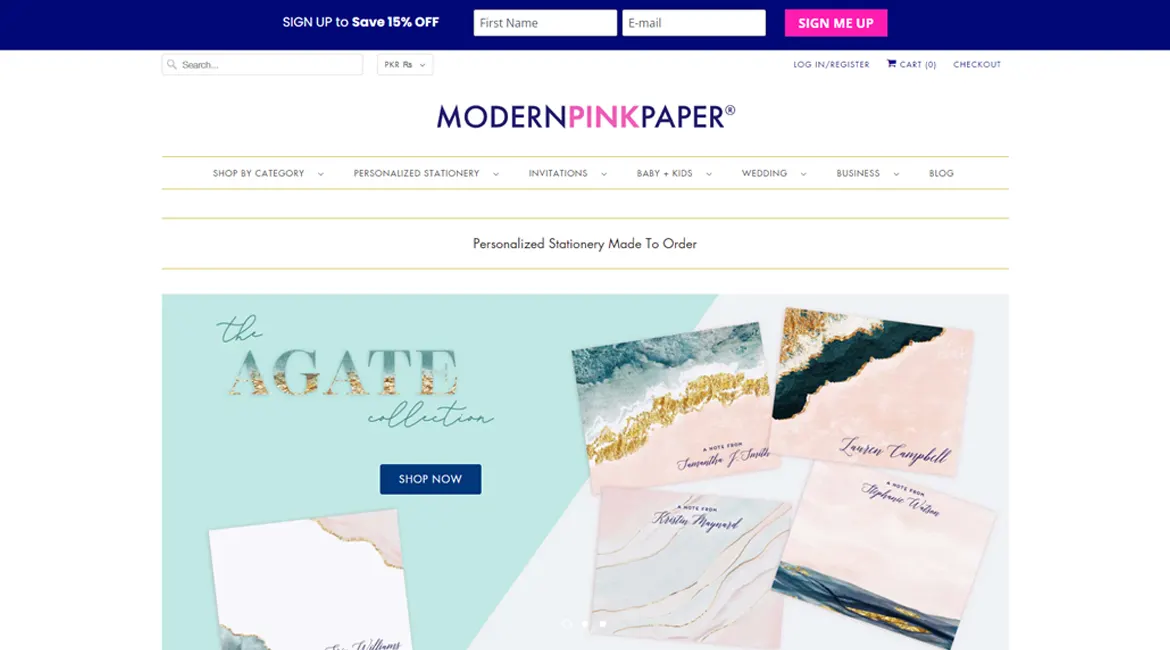
The Modern Pink Paper homepage looks like a boutique and uses soft colors for its target buyers. It has buttons that send visitors to different categories. Main category pages use the same images with their titles on top. Secondary category pages show products with a filter tool. Product pages offer many color and personalization choices. Buyers can pick colors, add names, get pre-shipping previews, and include messages and notes. The product description also uses an accordion layout for FAQs.
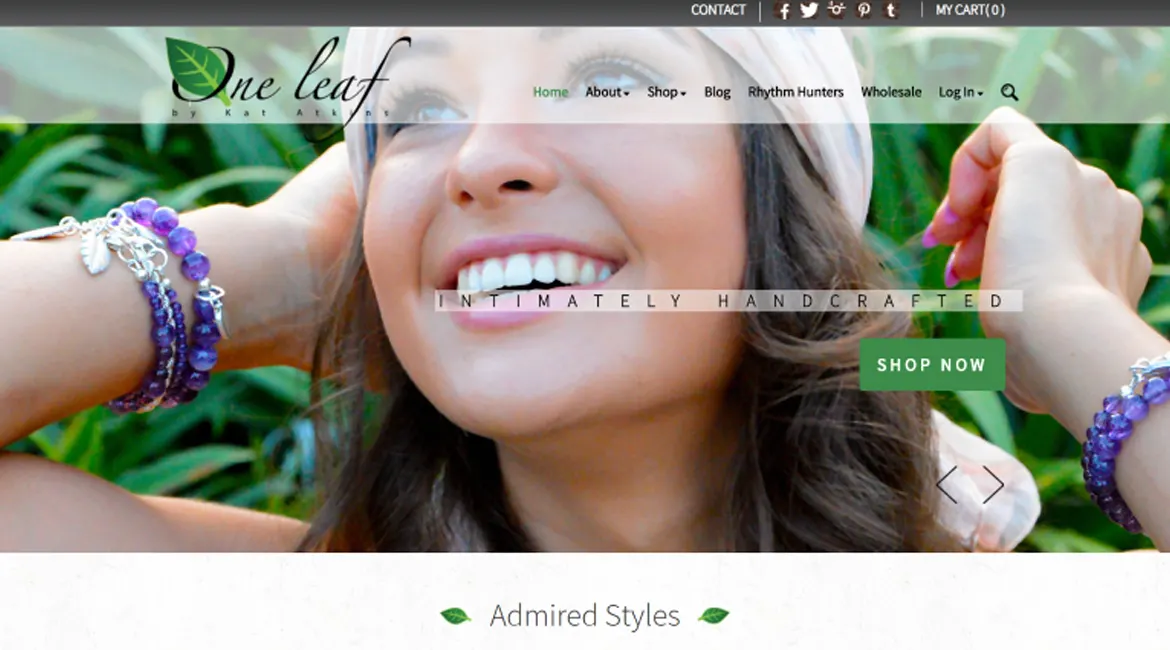
One Leaf Designs shows products in a full-width slider with a clear shop button and a best sellers section. On the shop page, products sit in a boxed section that slightly overlaps the header. Product pages show items with a box shadow on all images and keep the same text style across the site. The product pages also include links to related products that visitors might like.
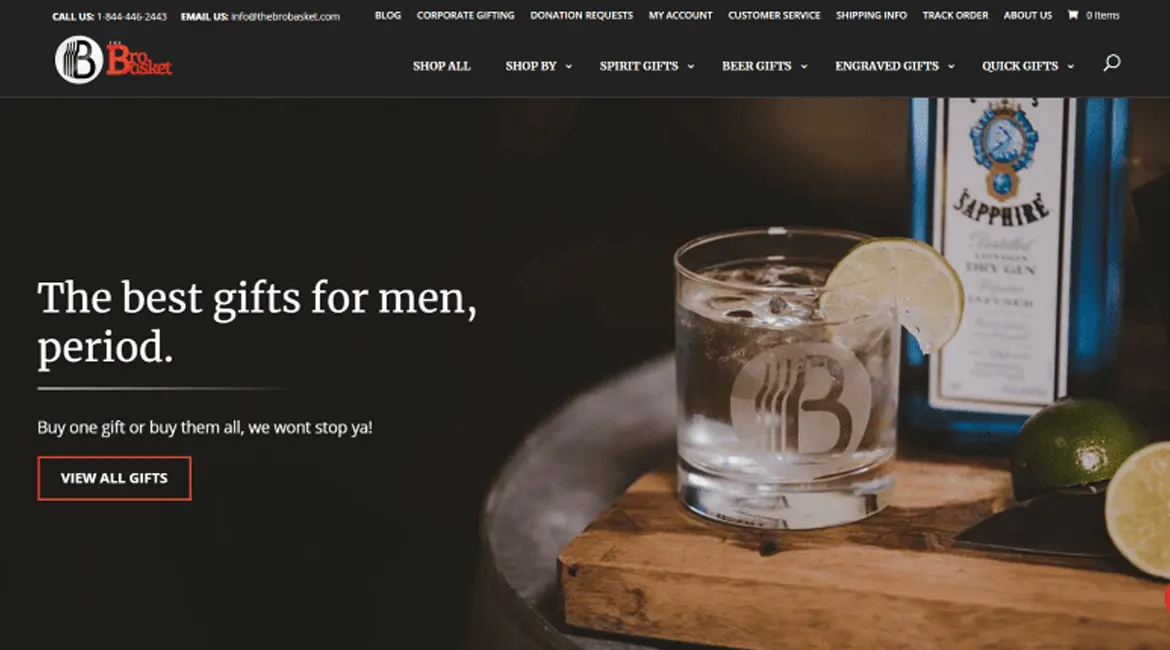
The Bro Basket has a full-screen header with a clear shop button. Next, the site shows shop categories using images with text on top. Another section highlights hand-picked products. Category pages give details about the company and its items in 3D cards, and distant parts are blurred for effect. Product pages have a description area with full-width video or customization options, plus related product ideas. The website photos are very striking.
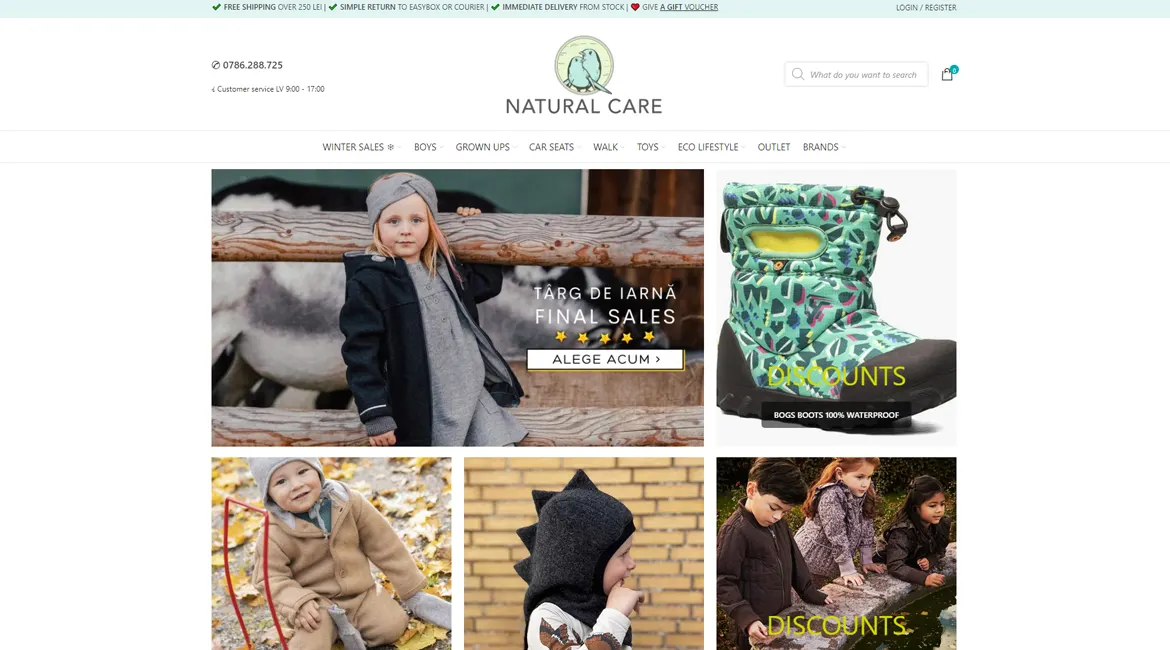
Natural Care Shop has an attractive store design where images link to different categories for a great visual experience. It uses soft colors to appeal to its target buyers. Category pages have WooCommerce sidebar widgets and footer shop buttons. The site shows products with large images so they are easy to see. Product pages also use styled icons and show related products in widgets and as button images.
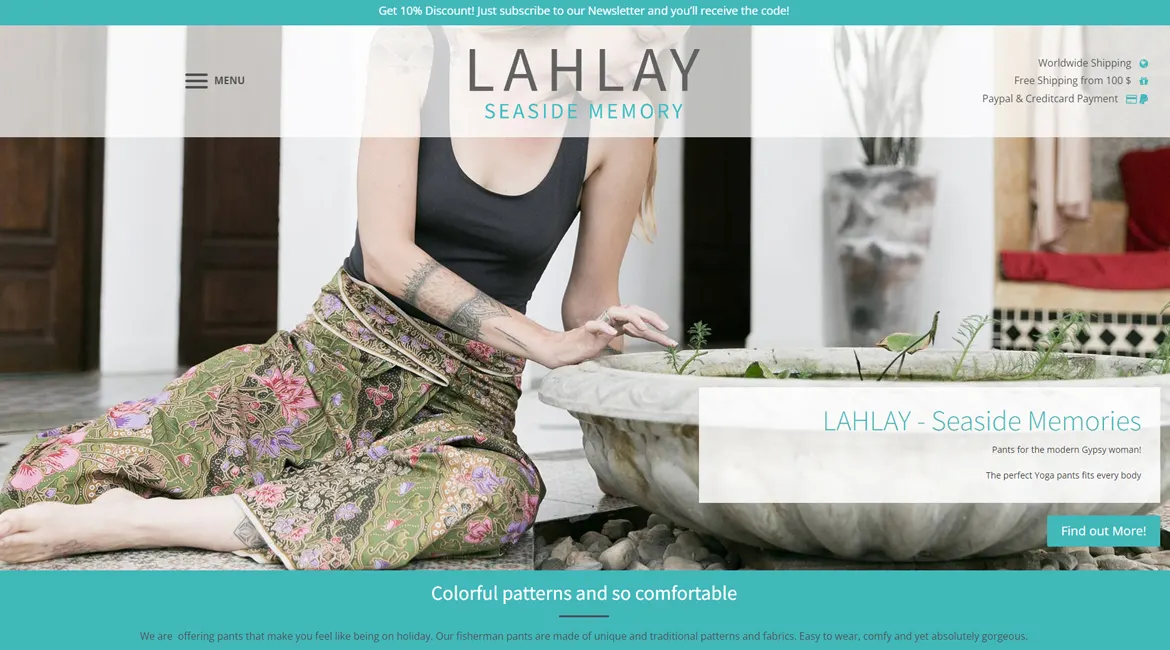
Lahlay has a full interface with a full-screen slider showing products and clear shop buttons. The site uses a mega-menu that hides when you scroll down. Homepage sections show products with large images and box shadows. Other sections give detailed product info with more images. Category pages have many photos and info organized in styled accordions, along with a nice shop module. Products show up in interactive popups, making Lahlay’s category and product pages some of the most engaging I have seen.
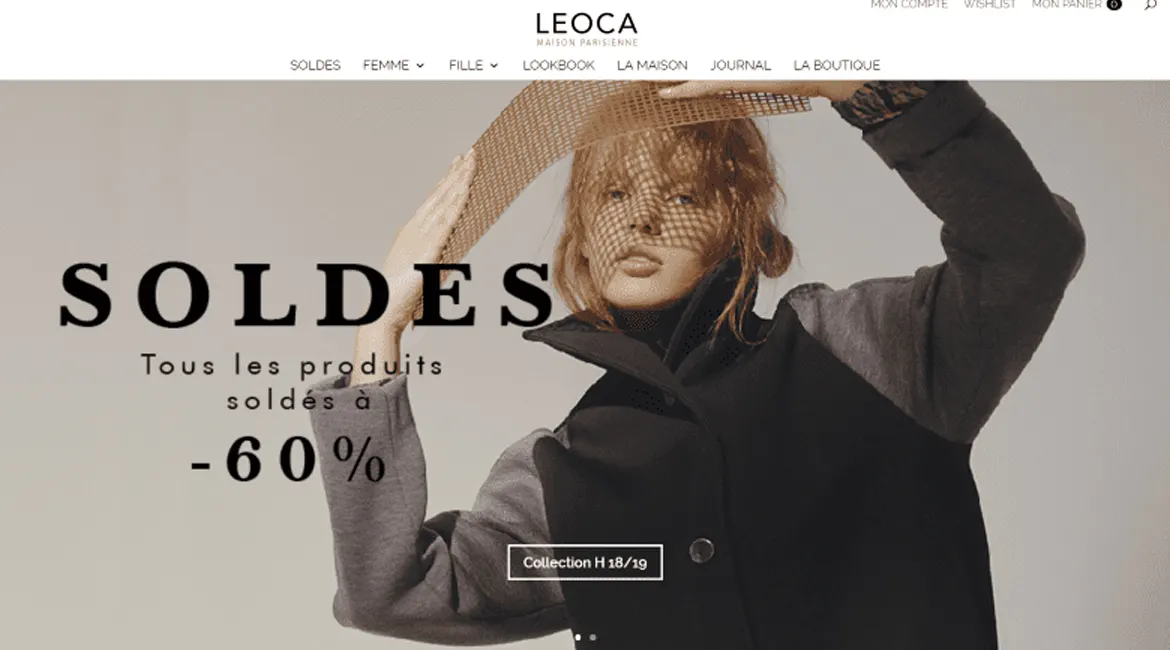
Leoca has a bold full-screen header with a clear shop button. The next section shows large images that link to different categories, each with its title. Category pages start with full-screen images and category titles to help visitors navigate. Next, a section highlights individual products, followed by a shop module with large images and hover animations. These animations show product sizes when you hover and offer a heart icon for wish lists. Product pages also have many large images and custom options for a great browsing experience.
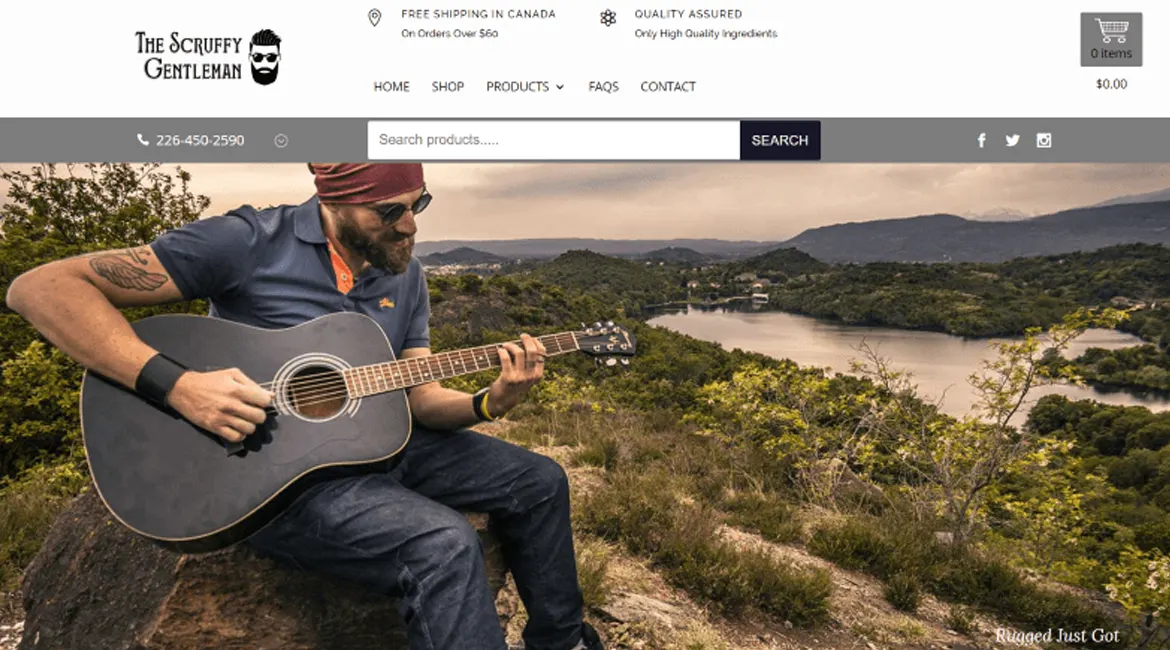
The Scruffy Gentleman site starts with a product search box under the header for easy access. Next is a bold full-width background image with a parallax scrolling effect for a rich visual feel. Featured products scroll over this background and overlap into the next section with more featured items. Further down, a shop button section uses parallax scrolling to catch the eye, followed by newly added store items. The shop page keeps this same design and adds a WooCommerce sidebar for easier navigation. Product pages use a full-width layout with large, high-quality images to give buyers detailed views of each item.
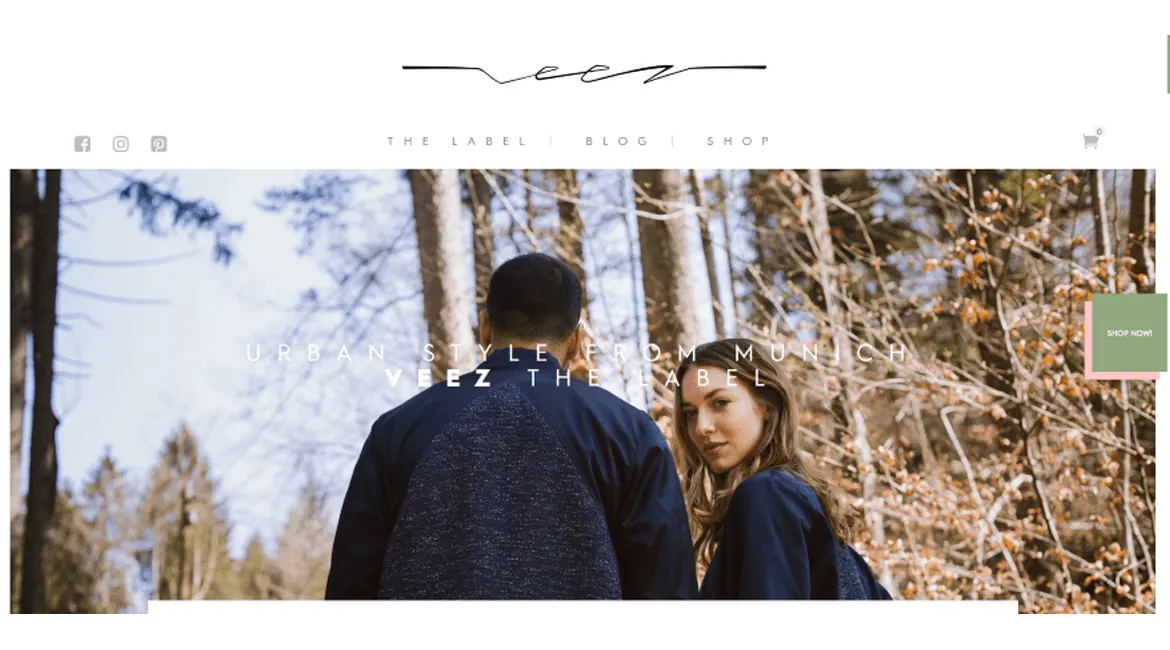
Veez keeps a shop button on screen so you can easily click it while scrolling. The homepage shows categories using striking images as clickable links, styled with overlapping text and boxes. Category pages start with an image and title, followed by a shop module and a “reveal more” button. Product pages show items with multiple large images in interesting layouts, plus more items from the same category.
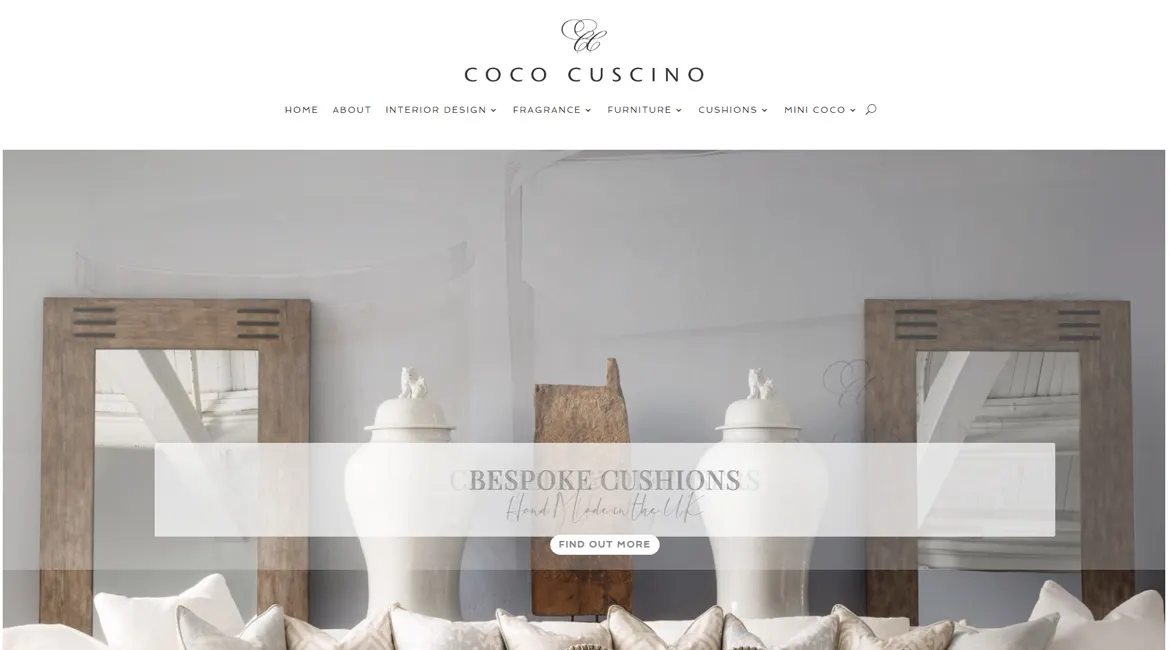
Coco Cuscino has a full-screen slider with a shop call-to-action (CTA) for various categories. When you scroll, you see a slider showing the latest products alongside section titles. There are also call-to-action buttons directing you to different categories. Both category and product pages keep things simple with styled borders, buttons, and text, plus a custom footer. The product page also adds a box shadow for extra visual appeal.
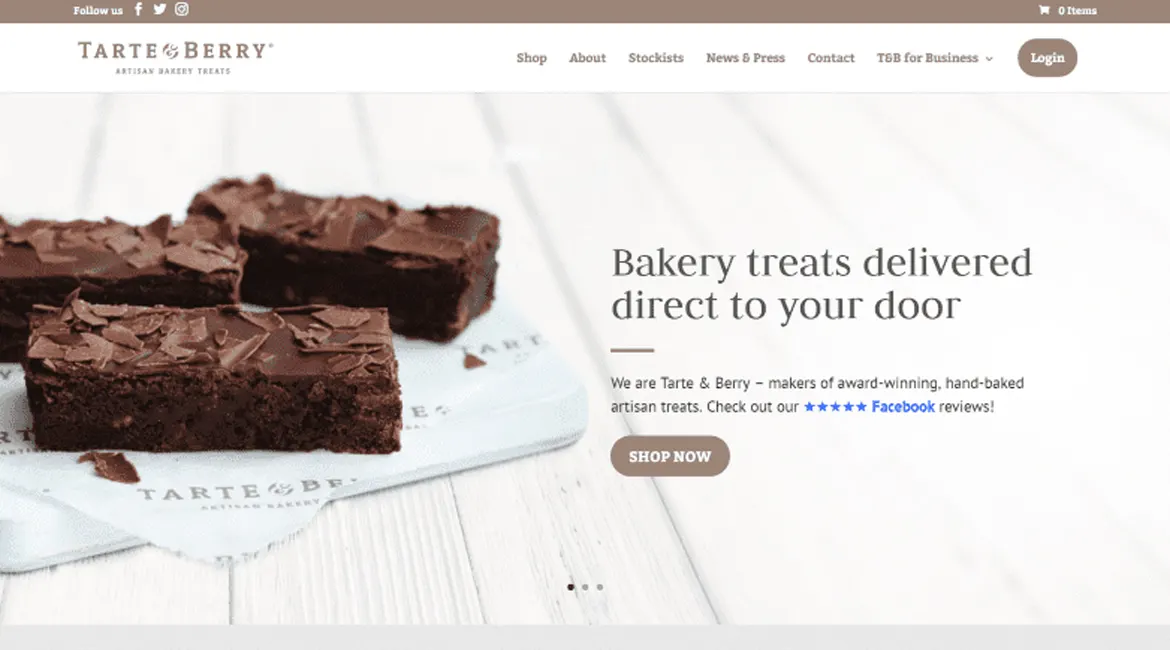
Tarte and Berry shows its products in a full-screen slider using the Ken Burns effect, along with a shop call-to-action (CTA). A clean section explains the buying process using icons, followed by a long product list and a testimonial section. The shop page keeps a consistent design, just without the slider. Product pages match the overall site style and include a box for adding custom messages. Detailed descriptions list the ingredients, and the page also shows related products.
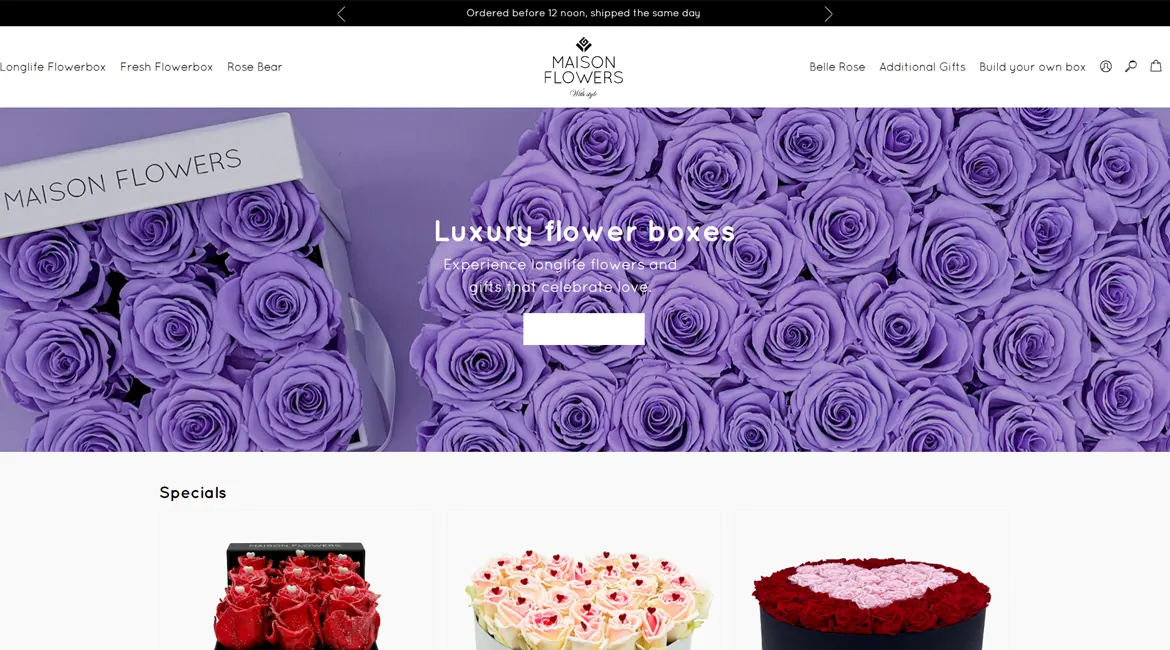
Maison Flowers uses a product image as a parallax background in the full-screen hero section. Scrolling reveals a styled shop module with a flower icon overlay and a section showing category images with hover animation. Category pages mirror the homepage but use smaller images with styled overlays. Product pages keep the same header and feature a large title, plus a personal message box for customization. They also provide shipping and purchase info, along with two sections showing similar products.
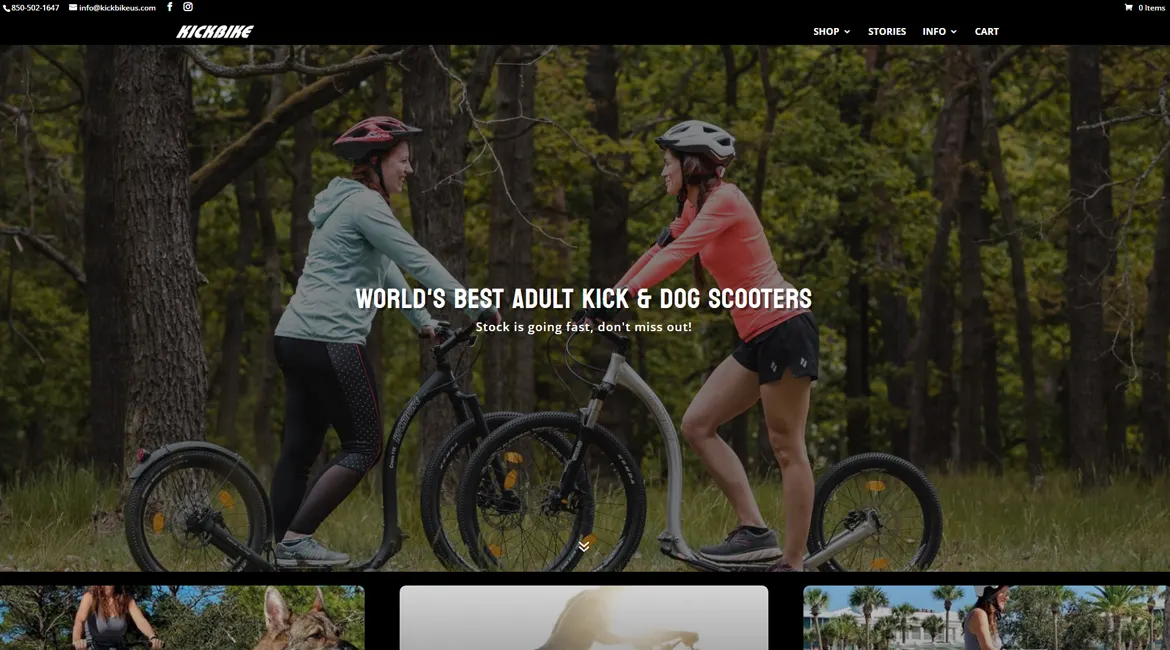
Kickbike has a full-width slider with a shop call-to-action (CTA) on its homepage. You will also find various articles and links detailing company information, shop sections, and full product details. Category pages start with a full-screen image, followed by an informative section, a full-width shop segment, and an FAQ section. Product pages stay simple while using many large photos and showing related products for your convenience.
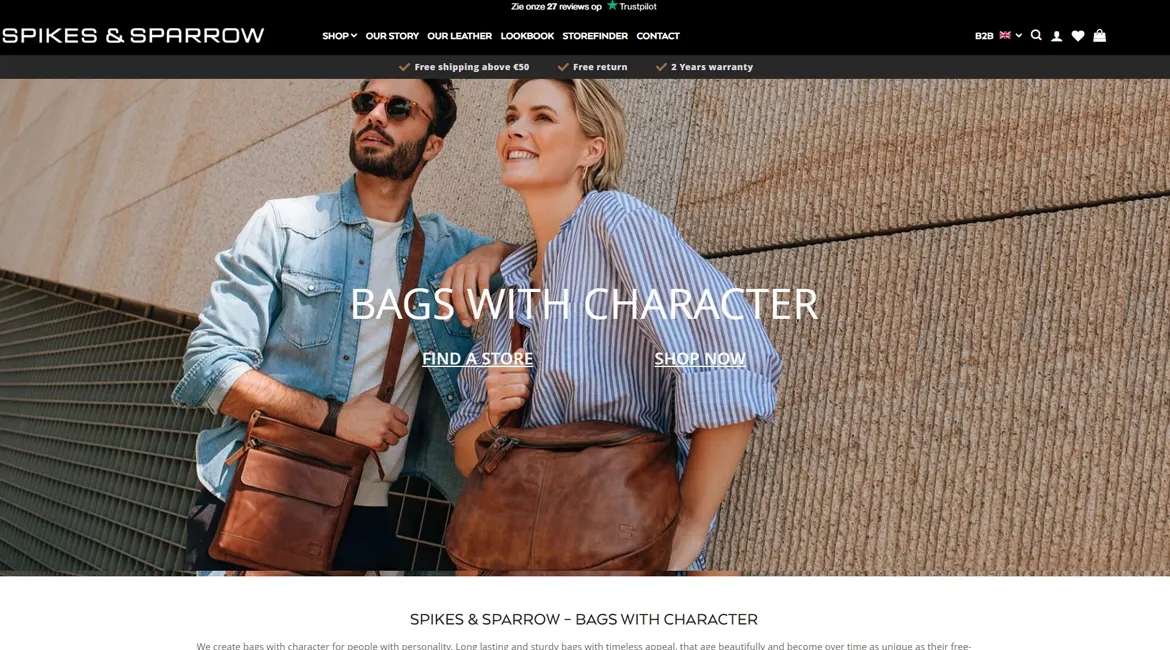
Spikes and Sparrow uses a full-width slider to show products, complete with styled navigation on the left side. Next, categories appear in a multi-column layout with images featuring styled text overlays. Shop pages show products alongside a stylish WooCommerce sidebar. Product pages look elegant with branded colors and a simple layout, but they still include options for the product in other colors.

Unsalted Boutique uses soft colors throughout the site design, including behind menus, sections, and text blocks, to suit its target audience. A call-to-action (CTA) stands out inside a slider, featuring an image with a colored text box. The site consistently uses colored boxes to separate categories. The homepage has multiple shop sections, and each uses these distinct colored boxes. Category links take you to product pages where you can pick specific products from dropdown boxes. Product pages also show related products for further browsing.
Conclusion
We explored 20 great examples of eCommerce websites built with Divi to inspire your own projects. These sites show the flexibility of Divi, featuring elegant landing pages with styled shop modules to highlight products. We also saw great shop pages, category pages, and product pages, showing how good product photos can improve even simple designs. Whether you plan a new eCommerce store or start your next Divi project, you will find useful tips here to guide your design process.
Image Source: We took each screenshot directly from its matching website or hyperlink.